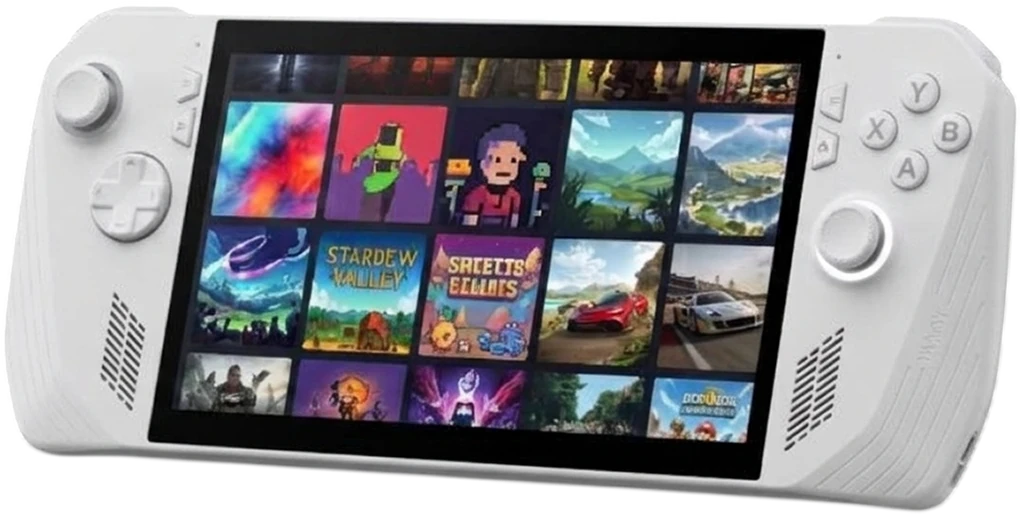
Awesome tools to get more out of your portable.
More control. More performance. More play.
Beta The suite is in active development: features and layout may still change between releases.
In the suite
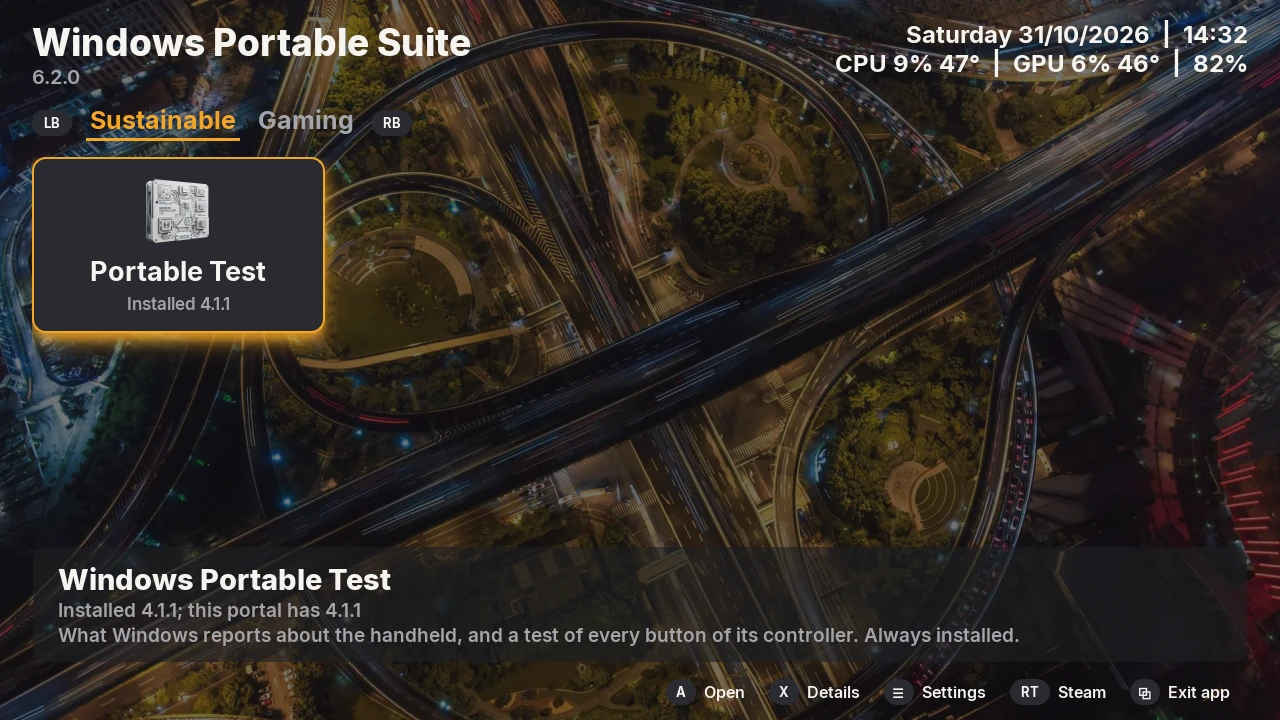
Apps for a Windows portable device, first the ASUS ROG XBOX Ally X, made for the device in your hands: full screen, a small screen, a controller and touch. The amber focus shows where the next press of A goes.
Sustainable
Windows Portable Test shows what Windows reports about the device, what is built in and what is plugged in, measures the network with a timed download, and tests every button, stick and trigger of its controller, the back buttons and the stick lights too. The temperatures, the power draw and the screen's refresh rate stay in its header.
Gaming
PCSX2 Manager installs PCSX2, the PlayStation 2 emulator, in portable mode, sets it up for the device's controller, plays your PS2 games full screen and puts them in Steam.
PPSSPP Manager installs PPSSPP, the PSP emulator, in portable mode, plays your PSP games full screen and puts them in Steam.
RPCS3 Manager installs RPCS3, the PS3 emulator, takes the PS3's firmware and your packages, plays your PS3 games full screen and puts them in Steam.
shadPS4 Manager installs shadPS4, the PS4 emulator, takes the system modules of your PS4, unpacks your packages, plays your PS4 games full screen and puts them in Steam.
Vita3K Manager installs Vita3K, the PS Vita emulator, has it install the PS Vita's firmware and your games, plays your PS Vita games full screen and puts them in Steam.
Xenia Manager installs Xenia, the XBOX 360 emulator, finds your XBOX 360 games, plays them full screen and puts them in Steam.
Remote Play plays your PS4 and PS5 on the handheld: it finds them on the network, registers the handheld with them, wakes them from rest mode and streams them full screen, and puts them in Steam.
DatStation: PlayStation knowledge on your handheld: a quiz against the clock, the consoles' history, system software versions, region codes, user guides and PS news.
Upscale Boost: HelixSR, the DLSS-like upscaler for AMD graphics, in your games: its build, deployed per game and set.
Utilities
USB HD Cam: Makes the PS5 HD Camera a webcam: its driver once, then its firmware with the A button.
BIOS Reader: The BIOS's setup screens and defaults, hidden menus included, from a BIOS file. It only reads.
sFTP Tools: Moves files to and from another computer over SFTP, and starts or stops its SSH server.
Smart Screen: Your handheld's live values on a Turzx USB screen, such as the Turing Smart Screen 3.5 inch, in your look.
Support Checker: What the suite's apps need on this handheld: Windows' updates, the tools and runtimes, the apps' versions.
HD Controller: Your USB HD controllers: what each one is, its firmware, its buttons tested, its settings.
SSD Check: The health, power cycles and power-on hours of the handheld's SSD and the drives on it.
One portal for every app
The portal installs, opens, updates and removes the apps, each from a tested release that it checks before it unpacks it. The apps are tiles on a tab per category: LB and RB change the tab, A installs or opens the focused app, Y updates it, X shows its details. Every tile and button also works by touch.
Get started
Download the newest portal on your portable device (under Windows Portable Suite in the Nexus index), check it with
Get-FileHash and run its installer. It installs Windows Portable Test with it; every other app installs from the
portal.
FAQ
Do the apps change my device?
No setting of Windows or of the device. Windows Portable Test only reads and shows what Windows reports. PCSX2 Manager and PPSSPP Manager install their emulator in its own folder and write its settings there, and nowhere else.
Do I need administrator rights?
No. Everything installs for your own user, and the installers refuse an administrator's window. Nothing goes into the Windows registry. Three things ask Windows for an administrator, when you choose them: the portal's watt limits helper (the portal), USB HD Cam's Allow access, which gives the camera Microsoft's own USB driver (USB HD Cam), and BIOS Reader's Read the settings, which reads your device's BIOS settings and changes nothing (BIOS Reader).
Where do the apps keep their files?
The programs, their logs and what they save in %LOCALAPPDATA%\windows-portable-suite\, the settings in
%APPDATA%\windows-portable-suite\, one .ini per app. Each app's chapter lists its files.
Do I have to install the apps one by one?
No. Install the portal; it installs, updates and removes the apps. See Install.
Does it work on other devices?
The suite is made and tested on the ROG XBOX Ally X with Windows 11, for any Windows portable device: the apps read what Windows reports, and say so where something does not apply, such as the back buttons on another maker's device.
How do I check a download?
Every release comes with a SHA256SUMS file: in PowerShell,
(Get-FileHash <file>.zip).Hash -eq (-split (Get-Content SHA256SUMS))[0] prints True when the download is intact.
See Install.
Why does Windows ask before it runs a program?
The programs are not signed, so Windows may ask once whether to run a file a browser downloaded. The portal checks what it downloads itself.
Is it open source?
Yes. The code of every app is on GitHub, under the license below.
What does the suite know about me?
Nothing it sends anywhere: no accounts, statistics or crash reports. The portal and the apps go to GitHub for their releases and updates, and Windows Portable Test's Network card downloads a release from GitHub when you ask it to; the network's name and the access point's address are never read out.
Where do I get help?
Open an issue on GitHub.
License
GPL-3.0-or-later. Each app has its own LICENSE. The icons and pictures were made with generative AI tools and
edited by hand, and the music of the video tours with generative AI tools. The sounds were made without AI: the portal's
intro sound by code, from arithmetic alone, and the portal's sound on a controller action and DatStation's quiz music by
hand in Audacity. All are under the license of the app or tool they come with, like its code.
Each release also carries THIRD-PARTY-NOTICES.txt: the licenses of what its program bundles, such as Python, Qt
and the fonts, and FFmpeg in USB HD Cam, whose picture Qt shows and records with FFmpeg's libraries.